 BTR AMP
Custom Tags
September 11, 2020
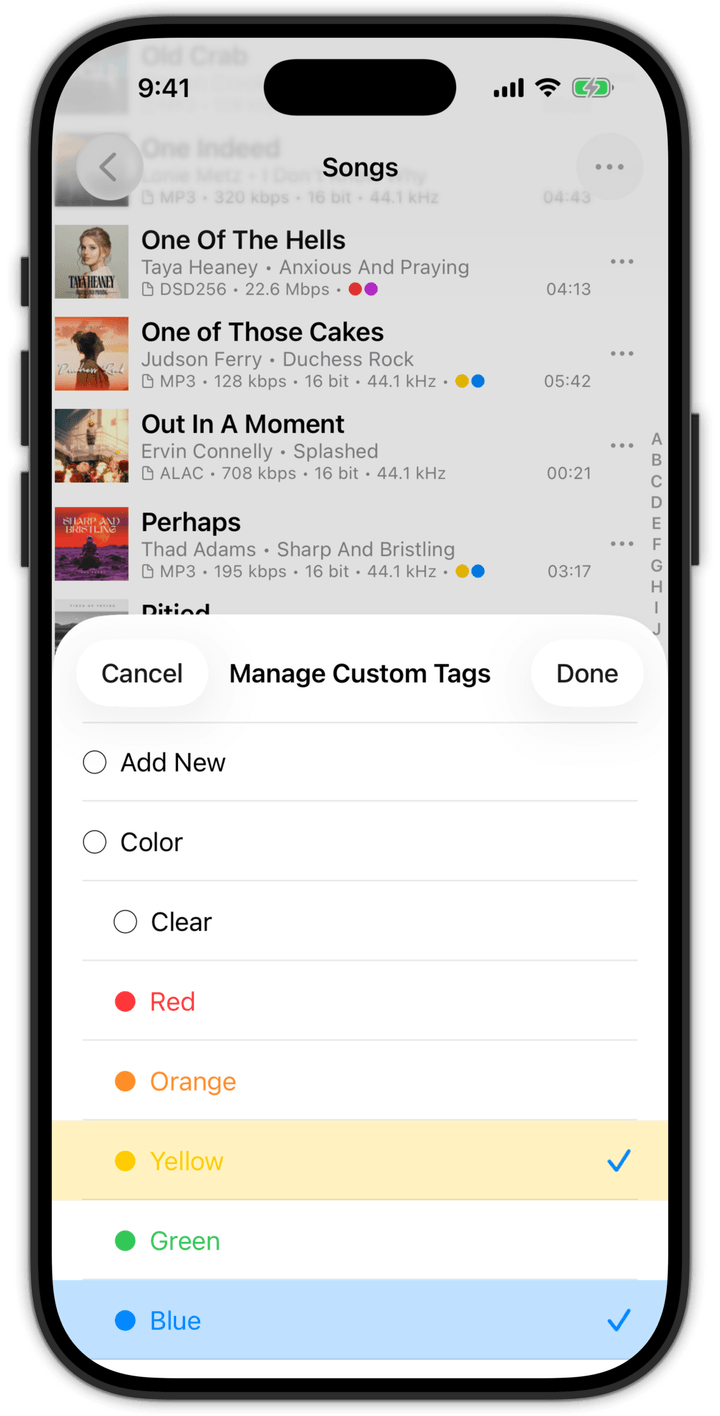
Organize YOUR music in unlimited ways with the new Custom Tags feature in v7.0
Version 7.0 introduces another EXCLUSIVE feature… Custom Tags! When used in conjunction with Smart Playlists (from v6), Custom Tags give you the ability to organize YOUR music library in nearly unlimited ways.
Want to tag songs with the tempo (i.e., slow, medium, fast), create some tags for those tempos and tag away! Want to tag songs that you want on your iPhone but actually don’t ever want to listen to, create a tag for it. Want to tag songs with the specific language of the song, go for it!
Custom Tags are even hierarchical, providing you the ability to create categories/groupings of tags. Smart Playlists then provide you with the ability to create a rule to quickly identify what songs have been assigned or not assigned a tag for a particular category/grouping.
To get started with tags, “long press” a song anywhere in the app and select the “Tag” option. You can also tag multiple songs at once by clicking on “Select” in the top right corner, select the songs you want to tag, then select “Tag” from the list of actions.
As always, this new version also contains various bug fixes and optimizations, with some special attention to better support HiRes audio (HRA) (96kHz/24bit).
Get the latest version of BTR AMP
